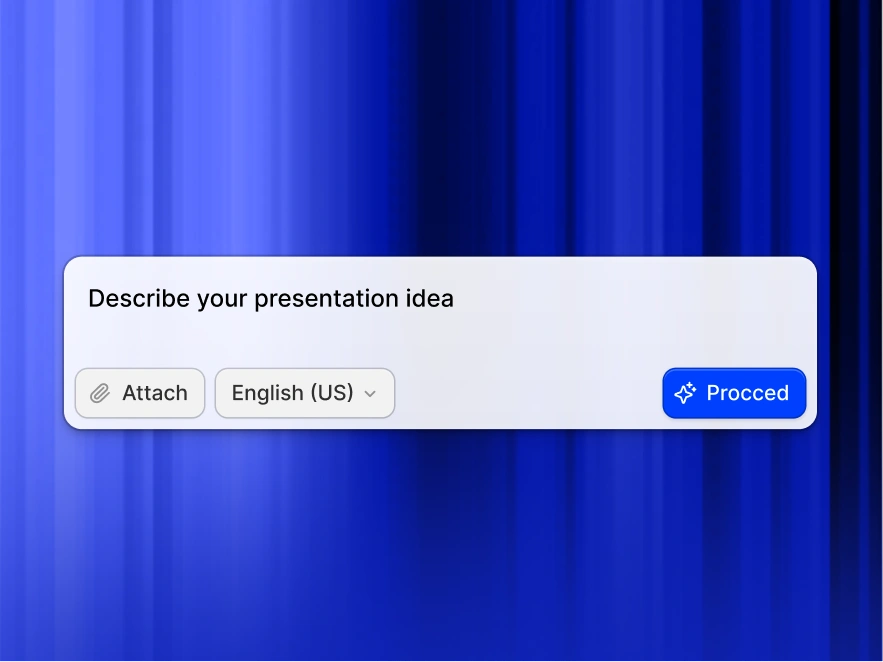
PDF to PPT

PDF to PPT Converter: Convert PDF to PowerPoint with AI Free

Upload any PDF and get a fully editable PowerPoint deck in 30 seconds. Our AI rebuilds your PDF into proper slides, not screenshots. Free to try, no sign-up needed.

Files encrypted & auto-deleted after processing. We never store your documents.

Free PDF to PowerPoint conversion

Exports to editable .pptx

Handles complex layouts

Turn investor PDFs, reports, manuals, and white papers into an editable, on-brand deck.

Upload the PDF and the AI rebuilds it into proper slides in about 30 seconds - ready to present or export.

Try PDF to PPT for Free

Why Convert PDF to PowerPoint?

PDFs are made for reading, not presenting. They're locked, so you can't edit them or reshape the content for a live audience.

Copy-pasting a PDF into slides breaks the formatting and leaves you rebuilding everything by hand.

Our PDF to PPT converter reads the full PDF and turns it into editable, designed slides in seconds - charts stay charts, tables stay tables, and nothing is flattened into an image.

Use it for:

  • Pitch decks from your investor PDF
  • Training slides from manuals and SOPs
  • Client presentations from reports and proposals
  • Research summaries from academic papers
  • Webinar slides from white papers and eBooks

Only have raw notes rather than a finished PDF? Our text to ppt converter builds slides from any block of writing.

Why Choose Presentations.ai to Convert PDF to PPT?

AI Restructuring — Not Just Format Conversion
Most PDF to PPT converters treat pages like images. Our AI PDF to PowerPoint converter treats them like information, reading structure, identifying hierarchy, and rebuilding your content as native, editable presentation elements designed for an audience, not just display.

Editable PowerPoint - Not Static Screenshots
Basic tools paste your PDF onto slides as flat images you can't touch. Every conversion here gives you fully editable PowerPoint, real text, native tables, and movable objects you can reshape in seconds, then export as a true PPTX file.

Auto Brand Kit - Your Colours, Fonts, Logo Applied
No more black text on white slides. Every PDF to PowerPoint conversion applies professional templates, modern typography, and your own brand colours, fonts, and logo, so slides come out on-brand and presentation-ready from the start.

Works with Any PDF - Scanned, Multi-Column, Tables
Multi-column academic papers? Financial reports with embedded spreadsheets? Scanned technical manuals with diagrams? Our AI PDF to PPT converter processes them all with precision, converting PDF to PowerPoint online has never been this accurate.

Free to Start - No Signup Required
Upload your first PDF and watch it become a deck without creating an account or entering a card. Convert PDF to PowerPoint free, preview the result, and only sign up when you're ready to download or share.

AI PDF to PPT vs a Basic File Converter

Utility converters like iLovePDF and Smallpdf drop your PDF pages onto slides largely as-is. Presentations.ai reads the document, restructures it into a real presentation, and applies design and branding, so you get an editable, on-brand deck instead of a page-for-page copy.’ This targets the ‘pdf to ppt ai’ long-tail the page already wins.

How to Convert PDF to PPT Online in 3 Steps

Step 1: Upload your document

Choose the PDF you want to convert. Scanned, multi-column, and table-heavy PDFs all work. Starting from a Word file instead? Our Word to PPT tool converts documents the same way.
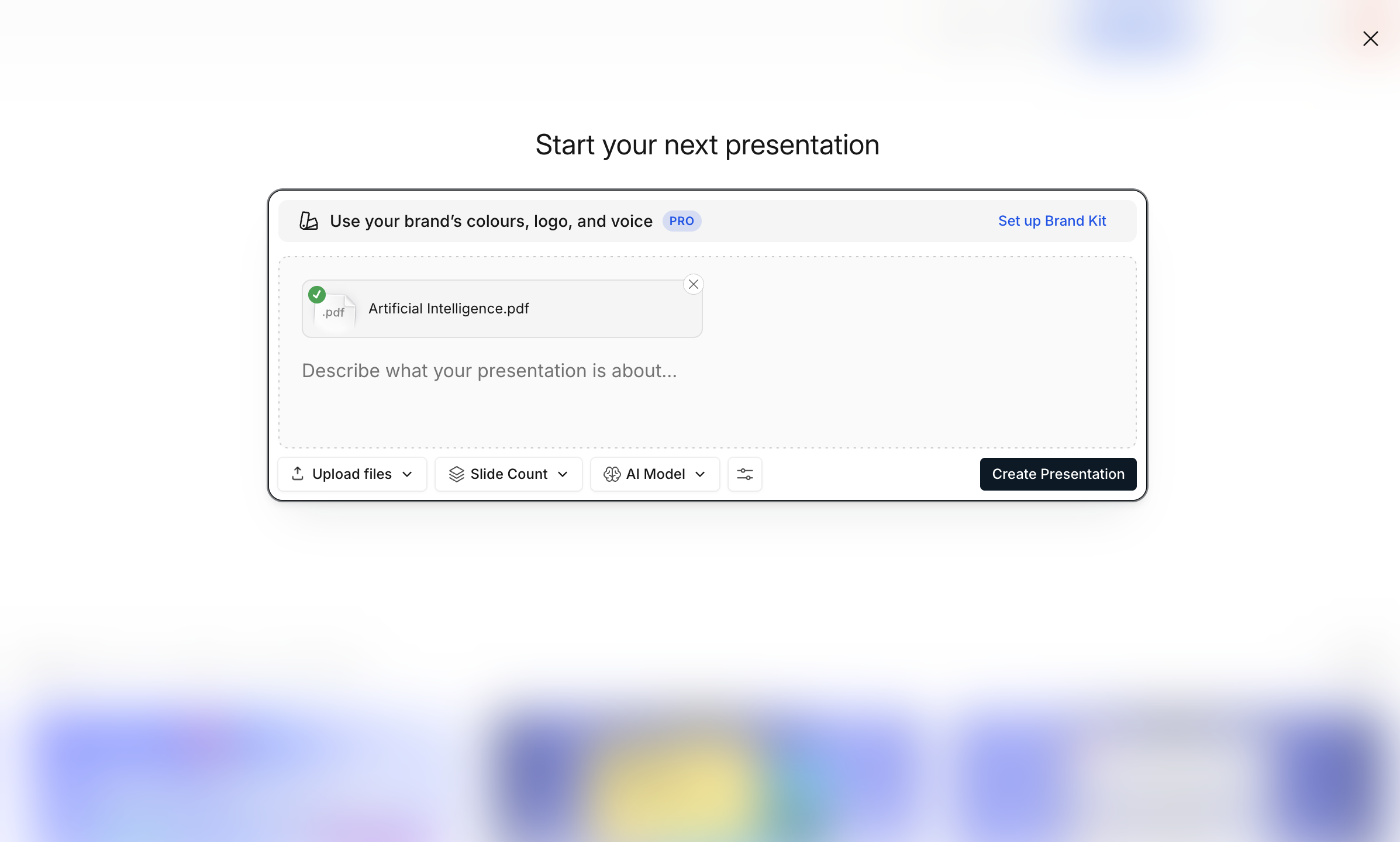
Upload your document

Starting from a Word file instead? Our word to ppt tool converts documents the same way.

Step 2: AI Converts & Designs Slides

In about 30 seconds the AI rebuilds your PDF into a full deck - editable text, native tables, high-res graphics, and clean layouts. Charts stay charts, tables stay tables.
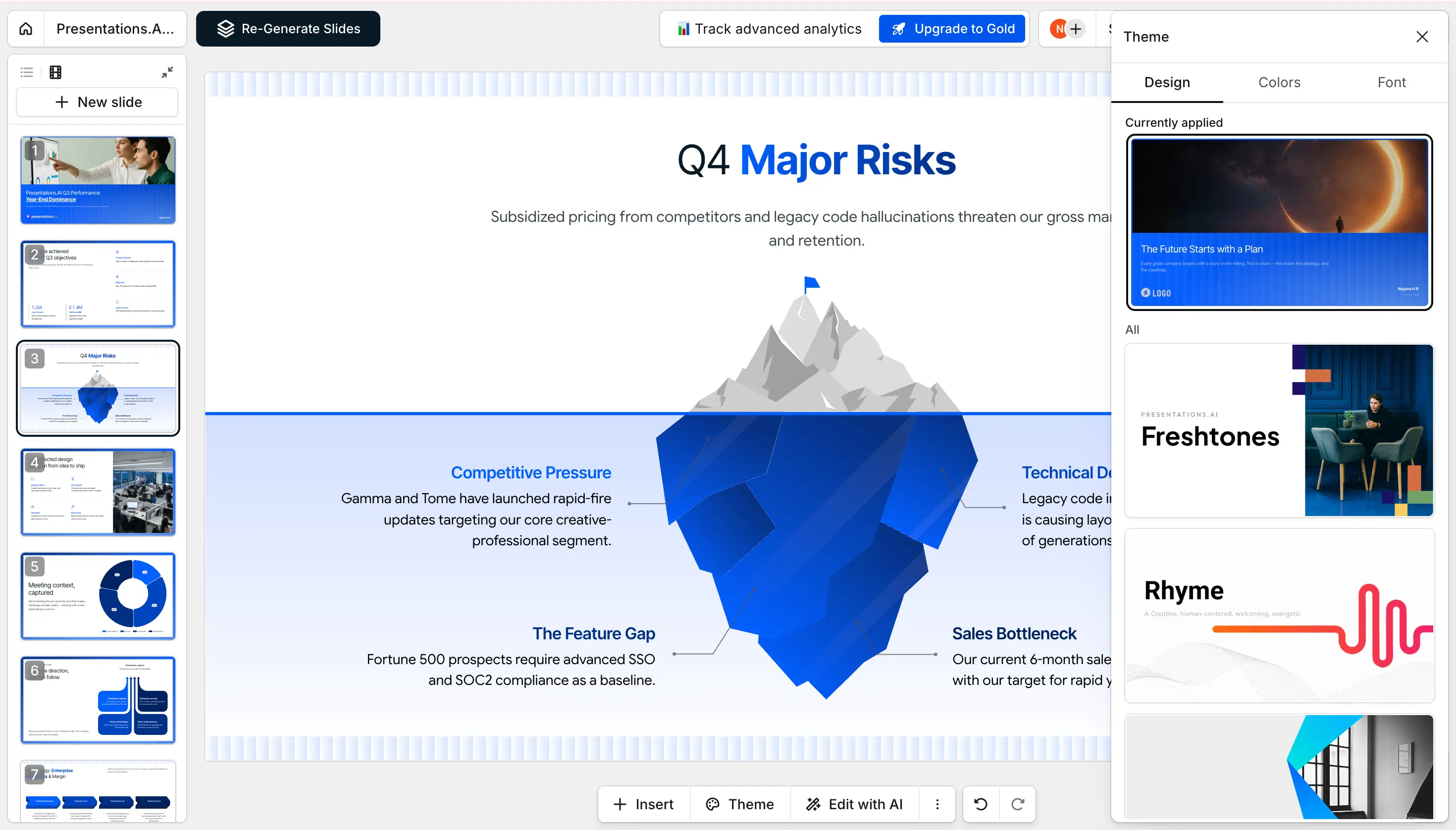
AI Converts & Designs Slides

Step 3: Download PPTX or Share

Export a fully editable .pptx or PDF, share a link, or invite teammates to view and edit with you.
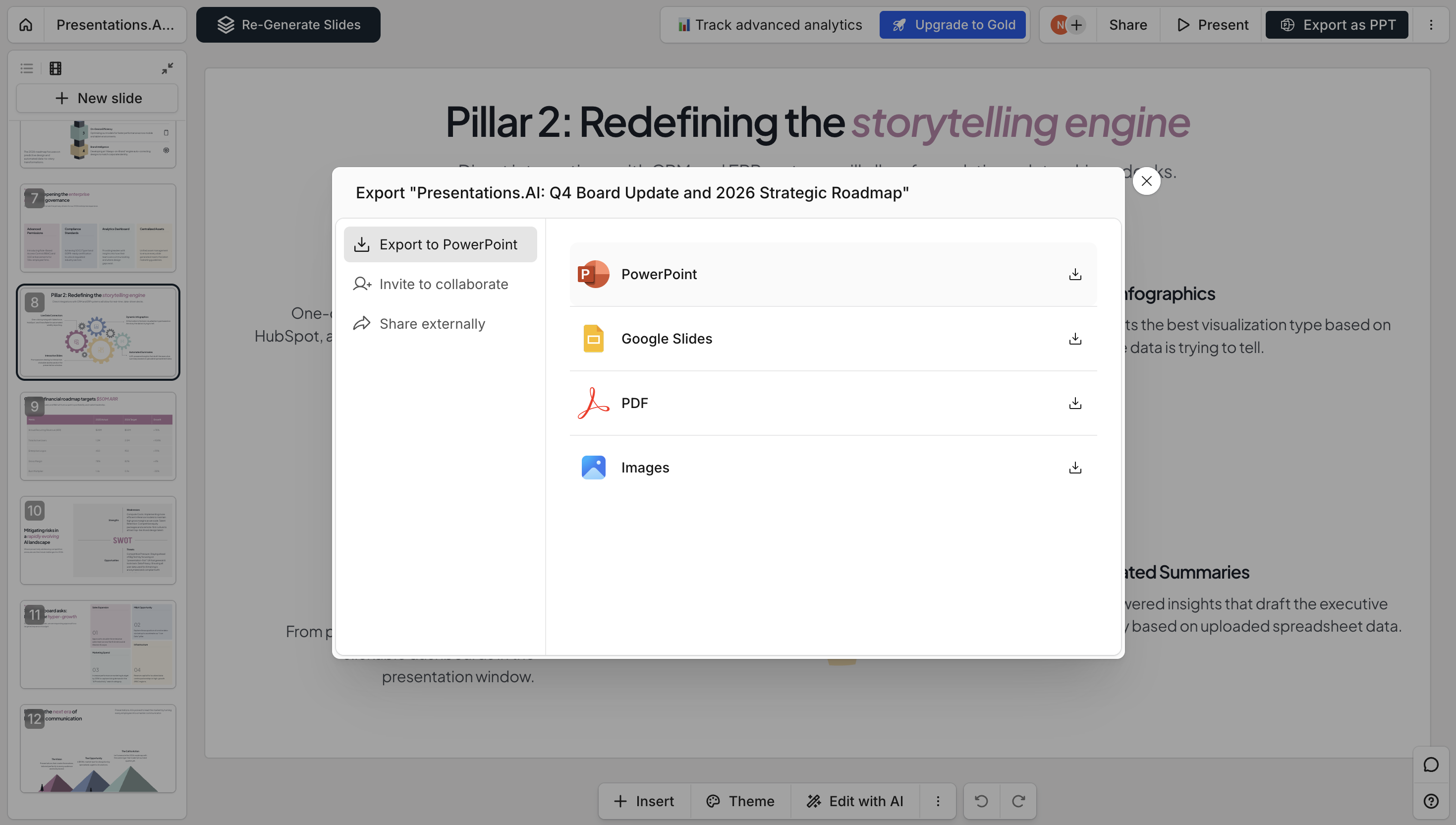
 Download PPTX

Presentations.ai vs Other PDF to PPT Converters

Most PDF converters paste your pages in as images. Here's how an AI rebuild compares to Adobe, Canva, and iLovePDF.

Feature Presentations.ai Adobe Canva iLovePDF
AI Restructuring
Fully Editable Slides
Auto Branding
Design Templates
OCR for Scanned PDFs
Free to Start

Supported Formats & Specifications

Everything our PDF to PPT converter accepts, handles, and outputs — at a glance.

  • Input formats — PDF, scanned PDF (OCR), password-protected PDF
  • Maximum file size — 100MB (Free), 200MB (Pro)
  • Output formats — PPTX, PDF, PNG, shareable link
  • Languages — 30+ with automatic detection

Divider Lines

Want to Generate a Deck From a Prompt? Try the AI Presentation Maker

PDF to PPT is for turning a PDF you already have into slides. If you’d rather start from just an idea, our AI PowerPoint generator builds a full deck from a single prompt.

Build ChatGPT Presentations in Seconds
Divider Lines

Explore More Tools

Text to PPT

Prompt with plain text, generate a storyline, and convert it to a deck.

Word to PPT

Turn a Word document into structured, editable slides.

Outline to PPT

Build a deck from your bullet-point outline, and AI turns your structure into fully designed, editable slides.

Google Slides to PPT

Going the other way? Turn any Google Slides deck back into an editable PowerPoint file.

Excel to PPT

Convert spreadsheets into slides with auto-generated charts and data insights.

URL to PPT

Convert any live webpage link into a designed slide deck, with no saving or exporting required.

Divider Lines
Testimonials Background

Testimonials

Hear what teams around the world are saying about Presentations.AI

I needed a pitch deck for investment but had no business background. Your AI created a near-perfect presentation in minutes.

Erin T. Roussey

Erin T. Roussey – Presentations.AI Customer Review

Your product is clearly extremely good with the research part. I got data about the startup that I didn’t even know existed. The design and the animations are also great, and I found the overall product a really helpful, useful and dynamic tool.

Sumer Pandey

Sumer Pandey – Presentations.AI User Testimonial

Your product was very good at creating a presentation based on my prompt and short brief of a technical topic. The subject content generated for the scenarios was particularly interesting in how it was structured and the layout with use of animation was particularly surprising. Overall a game changer!

Chris Greenham

Chris Greenham – Presentations.AI Customer Testimonial

After drafting long documents, I struggle to summarize them and prepare presentations. I found the platform surprisingly intuitive and effective. The quality of the presentation is exactly what we needed for our first client presentation.

Thembinkosi Sibeko

Thembinkosi Sibeko – Presentations.AI User Review
Divider Lines

PDF to PPT Converter FAQ

Is the PDF to PPT converter free?

Down IconUp Icon

Yes. Upload a PDF and generate an editable deck for free, with 200 AI credits to start and no signup required to try it. You get redesigned, editable slides, not flat screenshots of your PDF pages.

How accurate is the PDF to PowerPoint conversion?

Down IconUp Icon

Our AI maintains 98% content accuracy while improving presentation structure. Complex PDFs with tables, images, and mixed layouts convert cleanly to editable PowerPoint elements.

What is the maximum PDF file size for conversion?

Down IconUp Icon

Free accounts handle PDFs up to 100MB (typically 100+ pages). Pro accounts support 200MB files. Enterprise plans offer unlimited file size for massive document conversions.

Can you convert scanned PDFs to PowerPoint?

Down IconUp Icon

Yes. Built-in OCR (Optical Character Recognition) converts scanned documents and even handwritten notes to editable PowerPoint text. Quality depends on scan clarity, but we handle most professional scans perfectly.

Do charts and images convert properly from PDF to PPT?

Down IconUp Icon

Images extract at original resolution and position intelligently on slides. Charts rebuild as native PowerPoint elements when possible, making them fully editable after conversion.

How is AI PDF to PPT different from iLovePDF or Smallpdf?

Down IconUp Icon

Utility converters like iLovePDF and Smallpdf place your PDF pages onto slides largely as-is. Presentations.ai uses AI to read the document, restructure it into a real presentation, and apply design and branding, so you get an editable, on-brand deck rather than a page-for-page copy.

How is this different from Adobe Acrobat's PDF to PPT converter?

Down IconUp Icon

Adobe does literal page-to-slide conversion. We do intelligent transformation. Your PDF content becomes a presentation with proper slide structure, not just PDF pages displayed on slides.

Can I convert password-protected PDFs?

Down IconUp Icon

You'll need to unlock the PDF first for security reasons. Once unlocked, our PDF to PowerPoint converter handles them normally with full fidelity.

Is my PDF data secure during conversion?

Down IconUp Icon

Absolutely. We're SOC 2 Type II certified with end-to-end encryption. PDFs process, convert, then delete automatically. Your content never trains our AI models.

Can I batch convert multiple PDFs to PowerPoint?

Down IconUp Icon

Pro accounts convert up to 10 PDFs simultaneously. Each becomes a separate PowerPoint presentation. Enterprise users get unlimited batch PDF to PPT conversion.

Can I convert PDF forms to PowerPoint?

Down IconUp Icon

PDF form fields convert to editable PowerPoint text boxes. The structure preserves, making it easy to create presentation templates from PDF forms.

Can I convert Google Slides to PPT without a PDF?

Down IconUp Icon

The PDF intermediate step is intentional — it freezes your exact visual design before conversion. Direct .gslides uploads introduce the same font and layout bugs that Google's own export creates. If you already have a PDF version of your slides, you can skip straight to upload.

Will my PDF formatting survive the conversion?

Down IconUp Icon

The AI smartly adapts PDF formatting for presentation contexts. Bold and italic text stays that way, section headers become slide titles, and dense blocks become clean slide content.