

Google Slides vs Presentations.AI: An Honest 2026 Comparison

What is Google Slides?

A cloud-based presentation editor built into Google Workspace — strong on real-time collaboration and Google Drive integration, but entirely manual when it comes to slide creation, design, and brand management.

What is Presentations.AI?

An AI-native presentation platform that generates complete, branded decks from any document or outline — then exports as .pptx for seamless import into Google Slides, adding AI-powered creation to a workflow your team already knows.

Google Slides vs Presentations.AI: Feature Comparison

Google Slides excels at collaboration. Presentations AI excels at creation. Used together, they cover the full presentation workflow — AI handles the design and brand phase, Google Slides handles the sharing and collaborative editing your team is already familiar with.
Capability Google Slides Presentations AI
Focus Manual slide creation & collaboration AI-generated presentations, brand sync
Template Variety Basic themes Extensive library, customizable with AI
Brand Consistency Manual brand application Automated, single-click brand sync
Collaboration Excellent real-time co-editing Also supports real-time collaboration
AI Capabilities No direct AI design or text-to-slide functionality Core AI: content structuring, design generation

Ready to Experience Effortless AI Presentation Creation?

Discover how Presentations AI can transform your outline or document into a stunning, on-brand presentation within minutes!

Get Started for Free

Google Slides and Presentations.AI at a Glance

Google Slides is the default presentation tool for millions of teams running on Google Workspace — free, browser-based, and tightly integrated with Docs, Sheets, and Drive. While Google Slides makes it easy for teams to co-edit presentations in the browser, it relies entirely on users to design each slide manually, apply brand elements by hand, and build structure from scratch with no AI assistance for layout or content generation. Presentations AI bridges this gap by handling the design-heavy lifting automatically, then exporting a .pptx file that imports seamlessly into Google Slides for any final collaborative edits your team prefers.

Presentations AI fills that gap without disrupting the Google Slides workflow. Generate a complete, on-brand deck from a document or outline, export as .pptx, and import directly into Google Slides. From that point, teams collaborate exactly as they always do — they just start from a professionally designed, brand-consistent deck instead of a blank slide.

For Google Workspace teams, this combination removes the most time-intensive part of presentation creation while keeping everything downstream exactly the same.

Using Both Tools Together

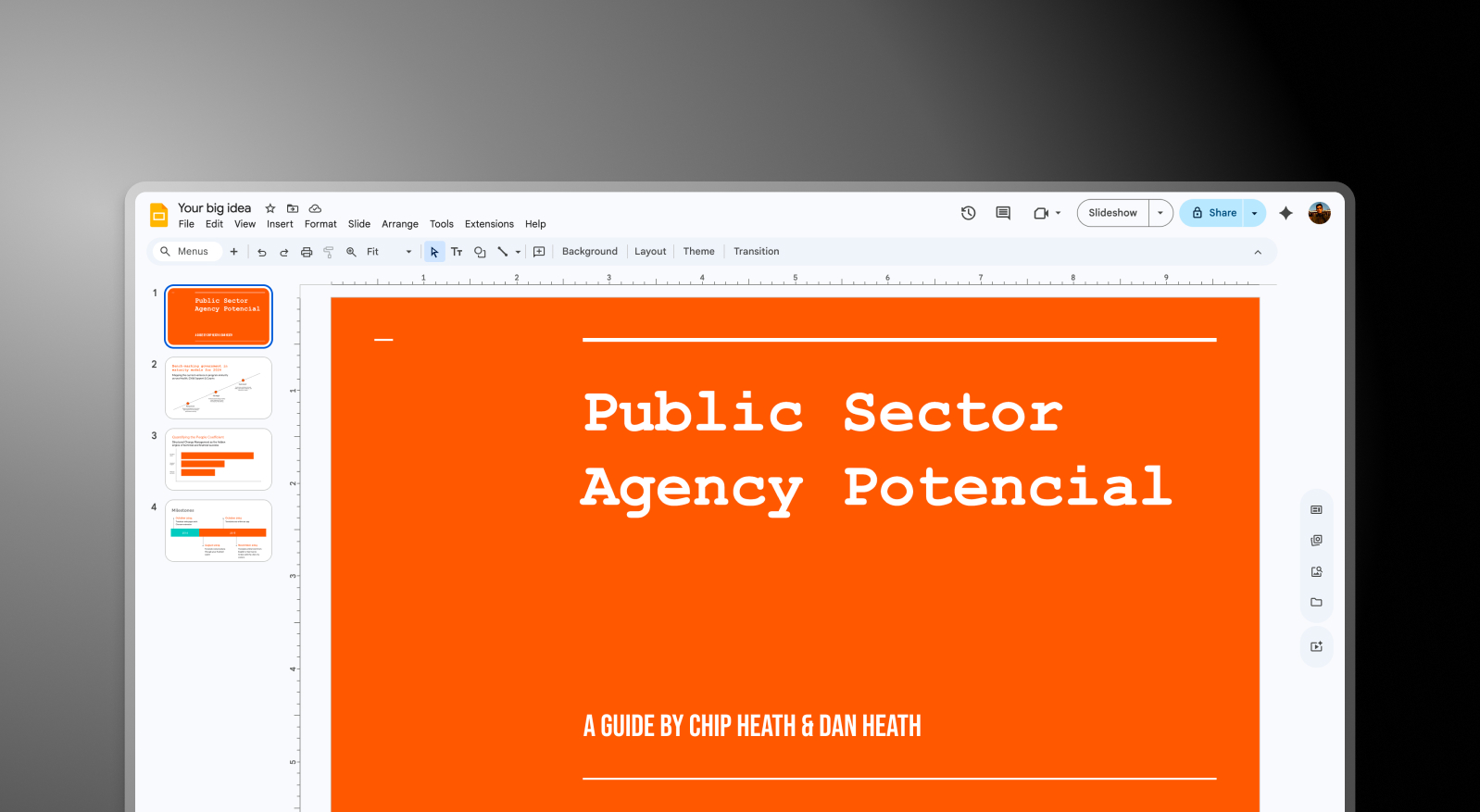
Step 1: Build in Presentations AI – Upload a document, PDF, or outline. The AI generates a complete deck — brand styling, layout, animations, and content structure handled automatically.

Google Slides step 1 screenshot

Step 2: Export as .pptx – Download a high-fidelity PowerPoint file with every design element preserved — fonts, layouts, and imagery all intact.
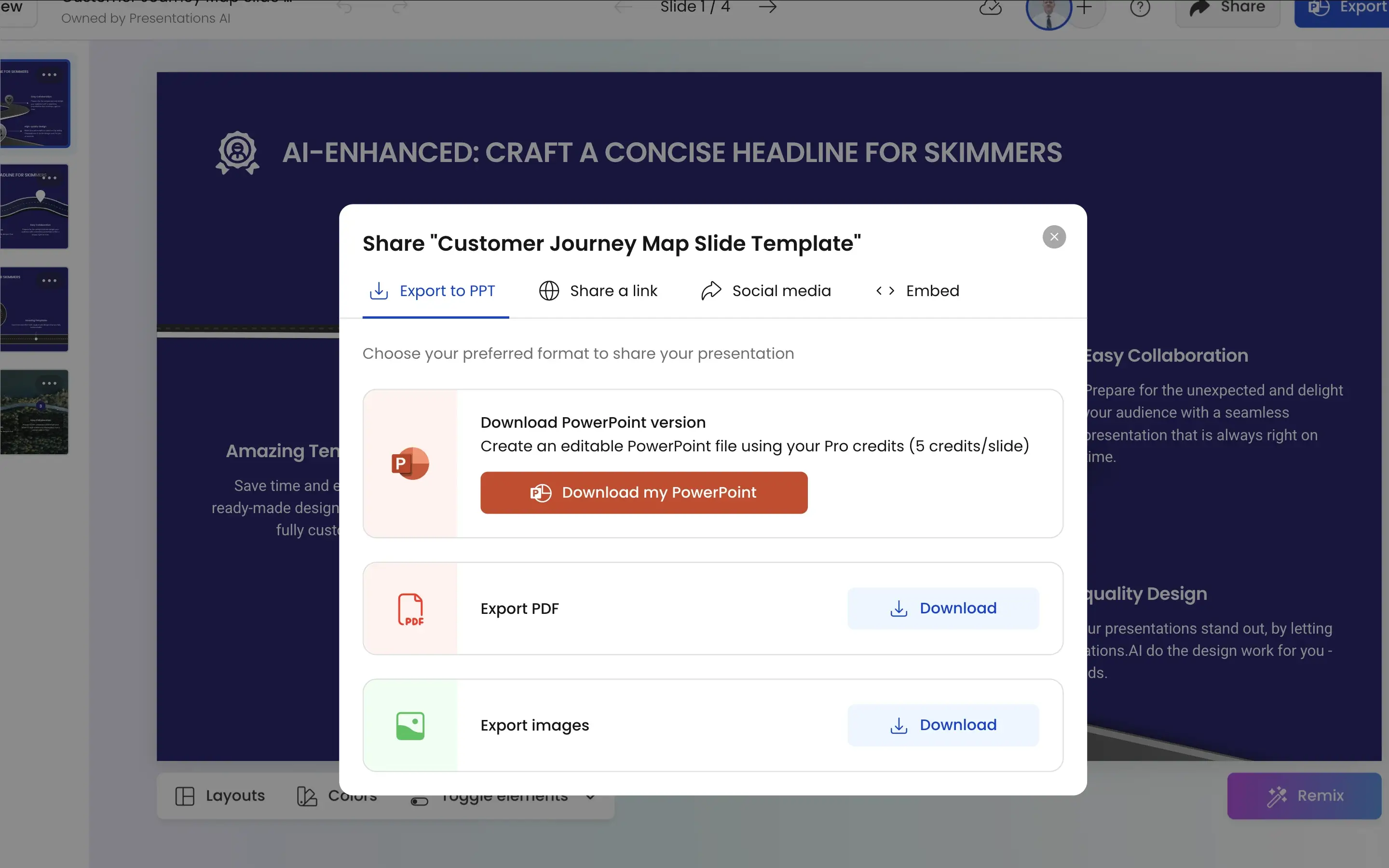
Google Slides step 2 screenshot

Step 3: Import into Google Slides – Upload the .pptx directly to Google Drive. Google Slides imports it cleanly, and your team picks up from there — editing, commenting, and collaborating in the environment they already use.
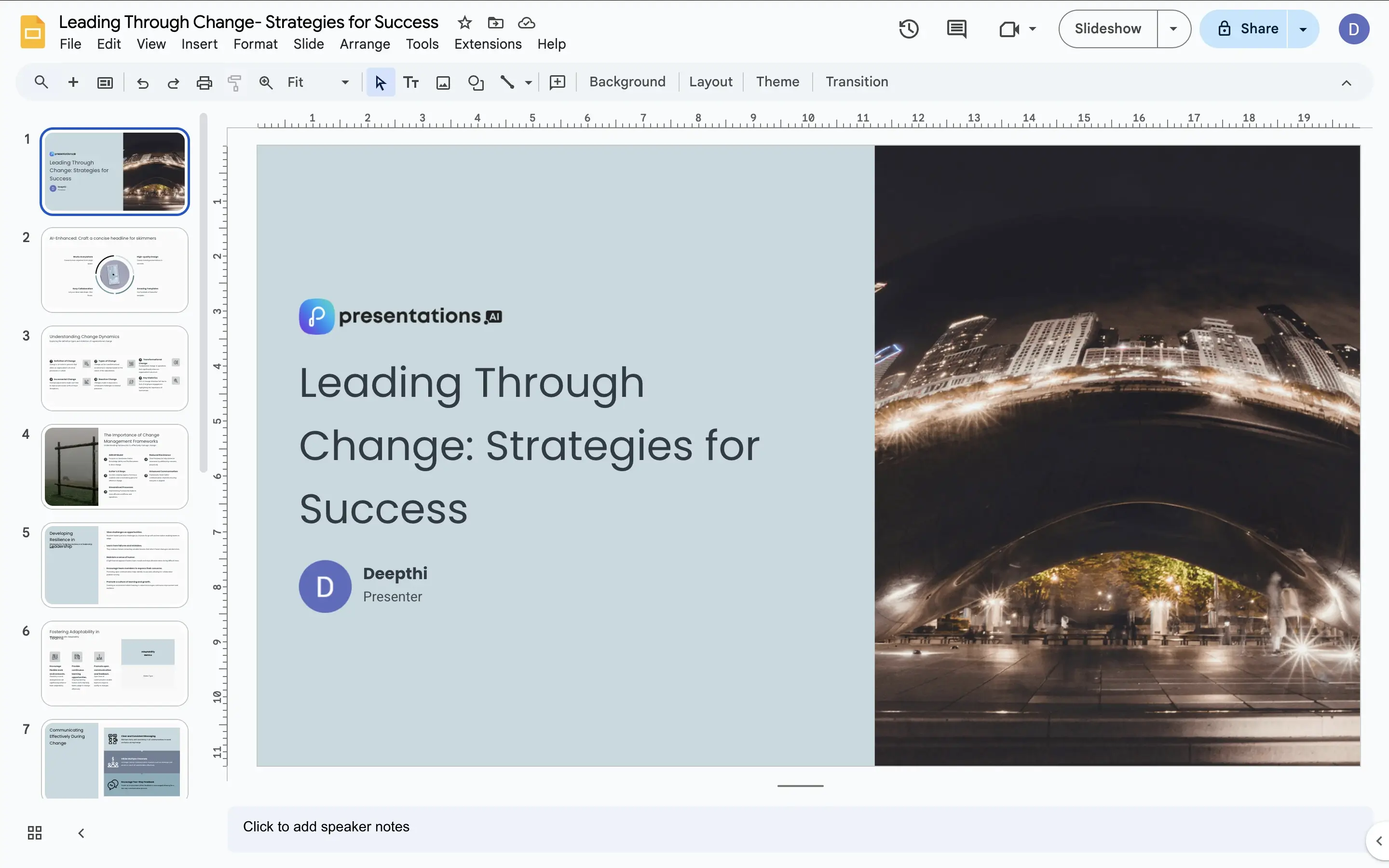
Google Slides step 3 screenshot


Four Ways Presentations.AI Complements Google Slides

Solves the Blank Slide Problem: Google Slides is great once there's something to work with. Presentations AI provides that something — a structured, designed, on-brand starting point generated in minutes from your raw content.

Brand Consistency Before Collaboration Starts: In a typical Google Slides workflow, brand consistency depends on whoever builds the first slide. Presentations AI applies it automatically before the deck ever reaches Google Slides — so the team collaborates on something that's already on-brand.

Minimal Friction on Import: .pptx files import into Google Slides cleanly. What Presentations AI generates is what your team sees when they open it — no reformatting, no layout fixes, no missing fonts to chase down.

AI Speed, Google Collaboration: Presentations AI compresses the creation phase from hours to minutes. Google Slides provides the real-time collaboration, comment threads, and Drive integration that keep team workflows moving. Each tool does what it does best.

Where Manual Slide Building Costs Marketing Teams Hours

Imagine a marketing team running on Google Workspace needs a new client deck every week. Currently, someone builds it from scratch in Google Slides — blank slide, manual layout, brand colors applied from memory, stock images sourced separately. Two hours minimum, every time.

With Presentations AI in the workflow, that two hours becomes ten minutes. The AI generates the deck, the .pptx imports into Google Slides, and the team spends their time refining the narrative and collaborating on content — not building slides. Same Google Slides workflow. Fraction of the time.

Divider Lines

Frequently Asked Questions

What is the main difference between Google Slides and Presentations.AI?

Down IconUp Icon

The main difference is creation versus collaboration. Google Slides is a manual presentation editor where every slide, layout, and brand element is built by hand, with Google Workspace integration and real-time co-editing as its strengths. Presentations.AI generates complete branded decks from documents or prompts and exports a .pptx file that imports cleanly into Google Slides. The two tools complement each other rather than replace each other.

Does Google Slides have AI in 2026?

Down IconUp Icon

Yes, Google Slides has Gemini AI built into Google Workspace, which can help write speaker notes, suggest layouts, generate images, and produce slide outlines from prompts. Gemini works at the slide and component level rather than building full branded decks. Presentations.AI generates a complete deck end to end with brand styling, structure, and visuals applied automatically, then exports to Google Slides for collaborative editing.

Can Google Slides import PowerPoint files?

Down IconUp Icon

Yes, Google Slides imports PowerPoint files directly through Google Drive. Most layouts, fonts, and brand elements transfer cleanly, though complex animations and proprietary fonts can shift on import. Presentations.AI exports high-fidelity .pptx files designed to import into Google Slides without reformatting, so teams can keep the Google Workspace collaboration setup they already use.

Can you use Presentations.AI with Google Slides?

Down IconUp Icon

Yes, Presentations.AI is designed to work alongside Google Slides rather than replace it. The AI generates a complete branded deck from your input, exports a clean .pptx file, and your team imports it into Google Slides to collaborate, comment, and refine using familiar Workspace tools. This adds AI-driven creation to the Google Slides workflow without changing anything downstream.

Is Google Slides free?

Down IconUp Icon

Yes, Google Slides is free for personal use with a Google account and is included in all Google Workspace plans for business users. Presentations.AI also offers a free plan with five complete AI-generated presentations, no credit card required, and full PowerPoint export included. Teams using Google Slides can layer Presentations.AI on top at no cost to start.